Best HyperFrames Studio Alternatives: 5 Tools Compared (2026)
HyperFrames Studio is now a web editor and an agent-driven desktop app. Here are the five best alternatives in 2026, compared on agent support, visual editing, platforms and verified pricing, and why GenMotion is our pick.
If you are searching for HyperFrames Studio alternatives, you have probably noticed that "HyperFrames Studio" now means two different things, and that the second is a recent addition.
So this is not a takedown. HyperFrames is a well built, genuinely open project with a large community, and its Studio is good. It is a question of fit: which operating system you are on, which account you are willing to sign in with, which engine you want underneath, and whether you want an agent or a keyboard doing the work. Our pick is GenMotion, and this post explains why.
TL;DR
- GenMotion: our pick, and the best overall alternative if you are on a Mac and want to describe a video, have it built, refine it in a live preview and export on your own machine. Scenes are built on a Three.js-based engine by default, with a React-based engine also available. Narration, sound effects and images are generated in the same chat on Pro, and a Marketplace of third-party MCP servers lets you bring your own models for voice, image and video generation.
- Midrender: a browser editor for AI motion graphics, driven by your own agent over MCP or a CLI. Aimed at product feature videos rather than narrated films.
- Remotion Studio: the pick if your team writes React. Mature, with a Generate with agent action added in September 2026.
- Motion Canvas: the pick for technical explainers. Free and MIT, with a real editor, but its last published release is from December 2024.
- Creatomate: the pick for a thousand variants of one template. A cloud template editor and API, not an animation tool.
| What it is | Agent | Visual editing | Runs on | Price (checked October 5, 2026) | |
|---|---|---|---|---|---|
| HyperFrames Studio (baseline) | Web editor plus desktop app | Claude Code or Codex, in the app | Canvas, timeline, keyframes, audio | App: Mac, Linux. Web editor: wherever the CLI runs | Framework is Apache 2.0. App price not listed |
| GenMotion | Desktop studio | Your Claude Code or Codex | Frame-accurate preview and timeline | macOS, Apple silicon | Free (5 exports a month), Pro $19 a month, Max $199 a month for 5 seats |
| Midrender | Browser editor | Your own, over MCP or a CLI | Timeline, properties, keyframes | Browser | Free, Pro $20 a month, Business $100 a month |
| Remotion Studio | Studio that ships with Remotion | Hand-off to your coding agent | Preview and timeline of your Sequences | Wherever Node runs | Free up to 3 people, then $25 per seat a month or $0.01 per render |
| Motion Canvas | Library plus web editor | None built in | Editor timeline, audio sync | Wherever Node runs | MIT, free |
| Creatomate | Cloud template editor and API | None listed | Visual template editor | Browser | From $45 a month, billed annually |
Prices checked on October 5, 2026, from each vendor's own pricing page.
The short version: the HyperFrames Studio app and GenMotion are the two desktop apps here that run your own Claude Code or Codex against a local project folder, and GenMotion is the one that treats the whole job as a single loop: describe, build, preview, refine, generate the audio and export. Everything else on this list is a different shape of tool.
What is HyperFrames Studio, and why look for something else?
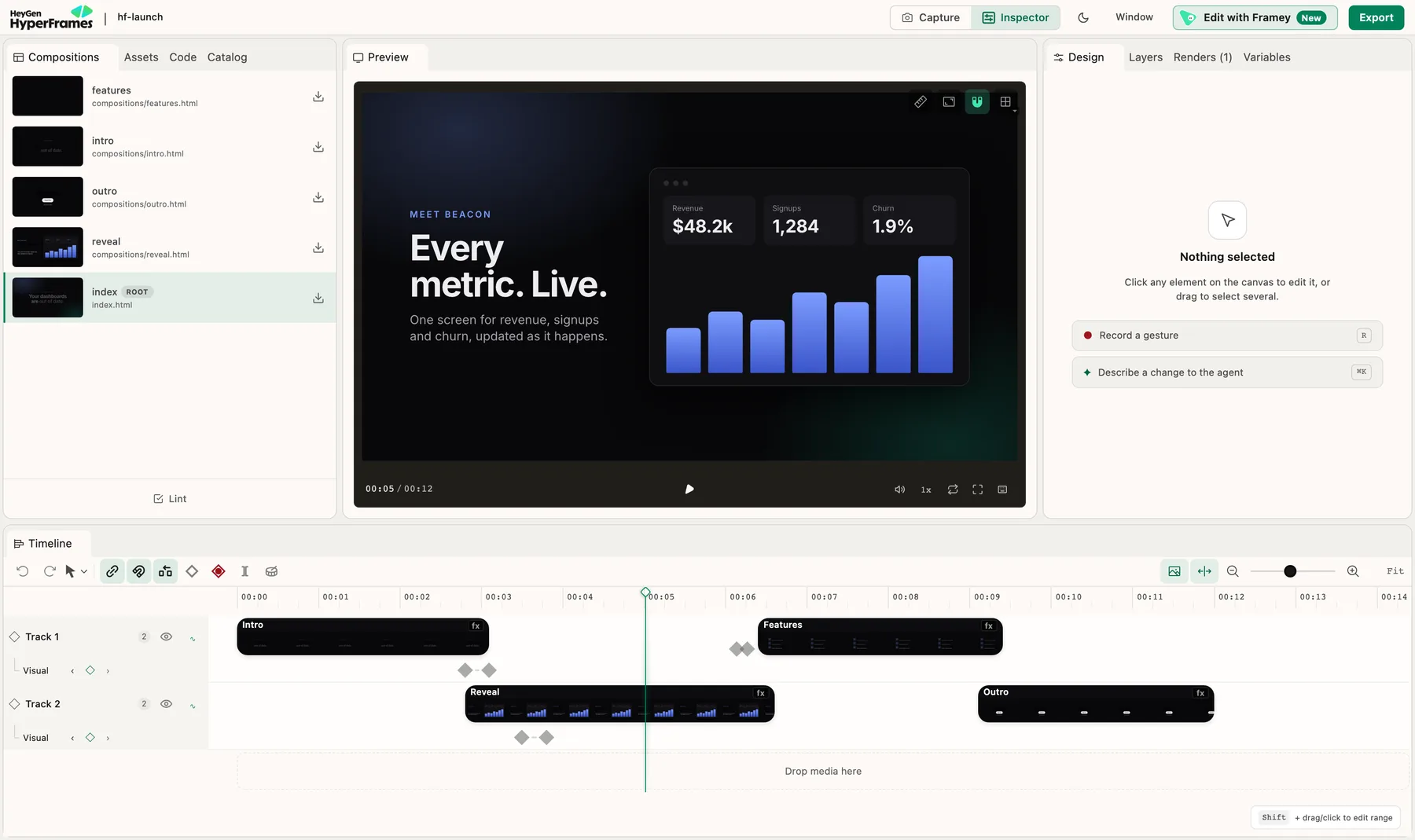
HyperFrames Studio is the visual editor for HyperFrames projects. It comes in two forms: a web editor you start with npx hyperframes preview, and a desktop app for Mac and Linux, where an agent on your computer builds the video and you change it by typing, pointing at the picture, drawing or commenting.
People look for an alternative for a handful of concrete reasons, all of them checkable: the desktop app asks you to sign in with a HeyGen account, it is Mac and Linux only with Windows still listed as coming soon, it edits HyperFrames projects and nothing else, and its documentation lists no price for the app itself. None of those is a flaw. They are the facts that decide whether it fits you.
What it does well, so you can judge the alternatives fairly
The web editor opens any HyperFrames project with no import or conversion. It has a canvas where you can move, resize, rotate and crop elements, a Design panel for text, layout, style, media, motion, 3D and colour, a timeline where you drag a clip to move it, drag an edge to change its length, and use a razor to split it, keyframe editing, and a deep audio rack including a voiceover carve that takes only the frequencies a voice occupies out of the music. It exports MP4, WebM or MOV (ProRes) at 24, 30 or 60 fps, with a render queue. A button hands a broader change to your agent, and the agent and the editor change the same source.
The desktop app adds an agent chat on top. You describe the video, or pick four parts of a launch video (hook, proof, turn, call to action) and add your website, and the agent builds it. You edit by typing, by selecting an element and choosing Prompt to edit, by drawing on the picture, or by pinning a comment to a moment, and you can queue up to ten of those and send them as one request. You can also split, delete, drag and trim clips yourself, and change a clip's speed, volume and fade. It works with Claude Code or Codex, installs Claude Code for you, and stores each project as a plain HyperFrames folder that also opens in the web editor and the command line.
The project around it is the real strength. The framework is Apache 2.0, with around 57 thousand GitHub stars and over 800 thousand weekly npm downloads, and it renders locally, on AWS Lambda or on Cloud Run. If you are already in that ecosystem, switching has a real cost.
Two things to know before you commit. Sending a request in the app requires a HeyGen account. And the app's default agent setting is Full access, which the documentation describes as able to install, use the internet and run anything with no checks, with an Auto mode that blocks risky steps instead.
1. GenMotion: our pick for most people
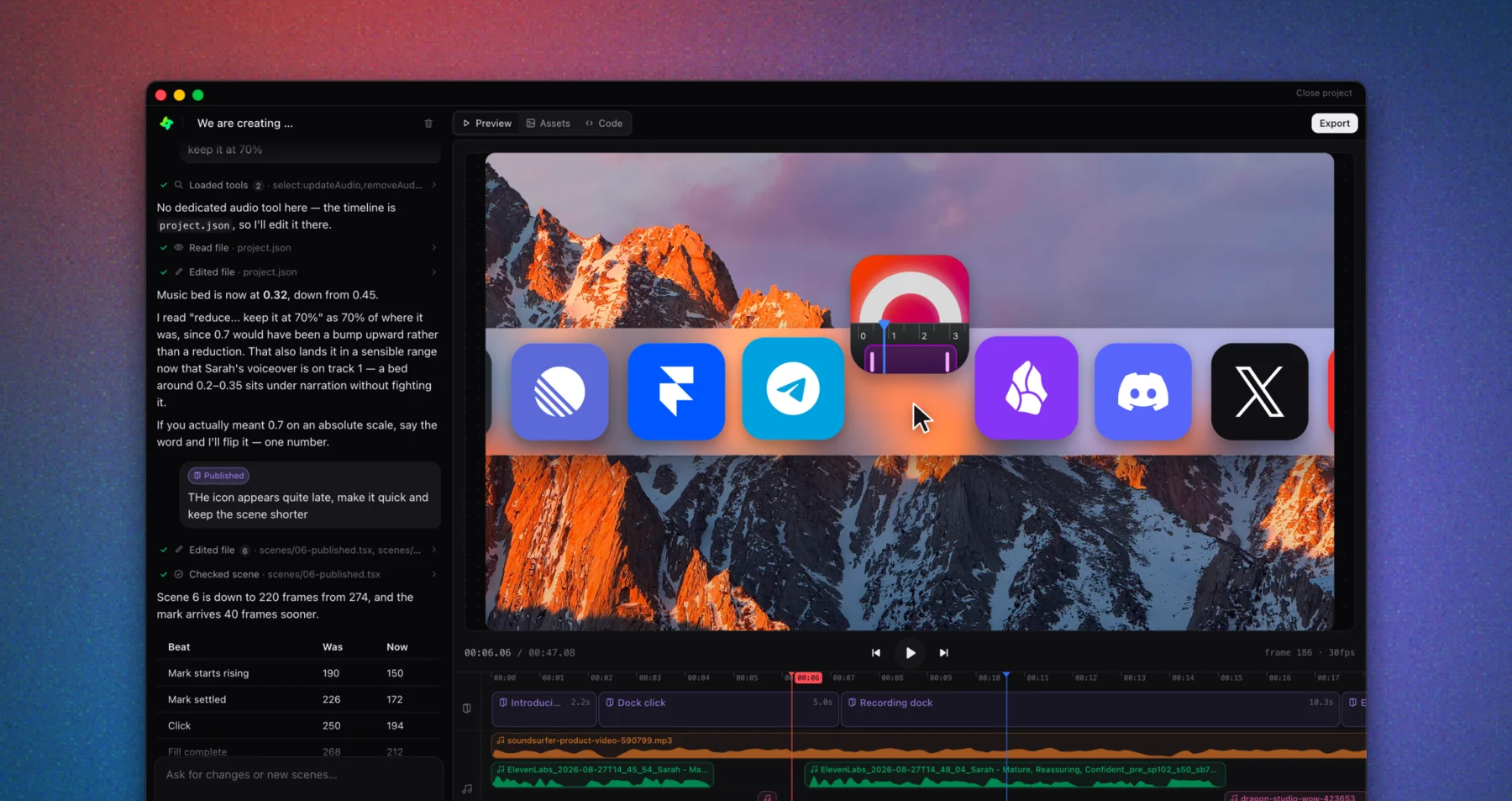
What it is: a desktop studio for macOS. You describe the video, your own Claude Code or Codex builds each scene, you scrub it frame by frame in the editor and ask for changes, and you export an MP4 rendered on your own machine. Each project is a folder on your disk. Scenes are built on a Three.js-based engine by default, with a React-based engine also available. A built-in Marketplace connects third-party MCP servers to the same chat.
Choose it if: you make launch videos, feature announcements, explainers or social clips on a Mac and you want the shortest path from an idea to a finished file. We make GenMotion, and we think that for that job it is the best option on this list.
Why we think it is the best choice:
- You describe it, it gets built, and you stay in control. The agent builds every scene inside the app. You scrub a frame-accurate preview that uses the same runtime as the export, drag scenes to reorder them and trim them to the frame on the timeline, and ask for changes in plain language.
- The audio is part of the loop. On Pro, the agent generates narration, sound effects and images in the same chat. Narration comes back with per-sentence timings so motion can cue to the words, and rewriting a line means regenerating it, not re-measuring offsets by hand.
- It ends in a finished file, with no meter running. Exports render on your machine, with no render queue and no per-render fee. Free includes five exports a month with no watermark, and Pro is a flat monthly price for unlimited exports.
- A studio, a CLI and an MCP server.
npx @genmotion/cli initscaffolds a project,genmotion checkvalidates every scene in a headless browser, andgenmotion renderexports MP4, WebM or GIF from a terminal or a CI job. Every command has JSON output, and the MCP server lets your own agent drive the same project. - Bring your own models and tools. The Marketplace connects third-party MCP servers to the agent: ElevenLabs for voice, fal.ai, Runway, Replicate and Hugging Face for image and video generation, plus research, design, data and publishing servers. You connect them with your own API key or sign-in, and you can add a custom MCP server of your own. Keys are stored encrypted on your machine and sent only to the provider, and nothing is resold.
- Your work stays yours. Projects are plain folders on your disk, so they stay yours if you cancel.
Pros
- A Three.js-based default engine, with a React-based engine also available, behind one editor and one agent
- Frame-accurate preview that uses the same runtime as the export
- A drag-to-reorder, trim-to-the-frame timeline
- Voiceover, sound effects and image generation inside the chat on Pro, with timings for syncing motion to speech
- Exports render on your own machine, with no render queue and no per-render fee
- A Marketplace of third-party MCP servers, so you can bring your own models for voice, image and video generation, or add a custom server
- A published CLI and libraries on npm, plus an MCP server for your own agent
- Projects are plain folders on your disk
Requirements
- macOS on Apple silicon (M1 or later). Intel Macs, Windows and Linux are not supported
- Your own Claude Code or Codex subscription: GenMotion does not resell model access
- Voiceover, sound effects and image generation are part of Pro
Where it fits: if you are on Windows or Linux, GenMotion is not available yet, and the options below that run in a browser or wherever Node runs will serve you better. For everyone starting new videos on a Mac, it is the one we would pick.
2. Midrender: AI motion graphics you can still edit by hand
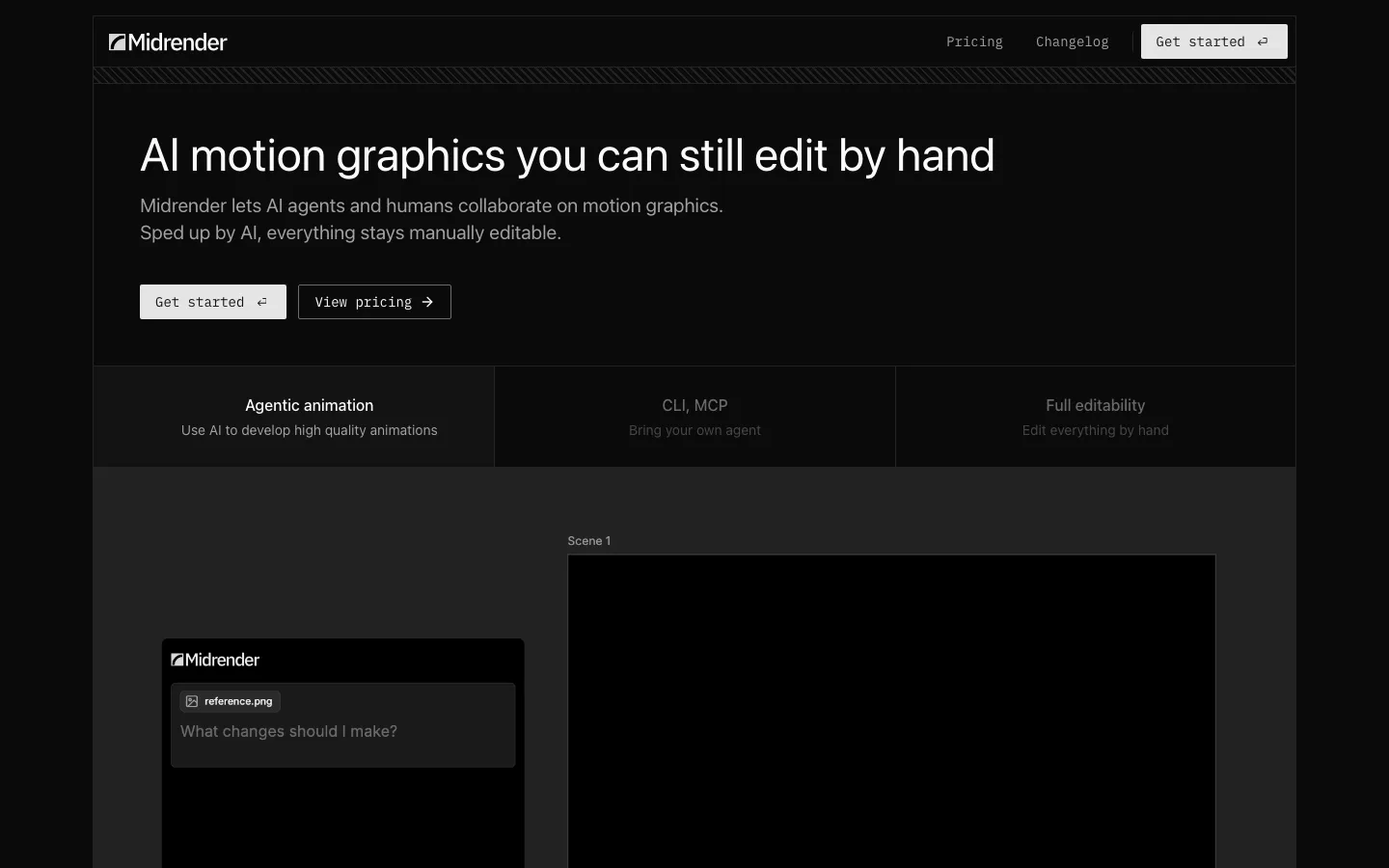
What it is: a browser-based visual editor for motion graphics, built on Revideo, the MIT-licensed engine its founder created. Its pitch is a pointed one: point the agent at your codebase, it reads the feature and builds an animated walkthrough, and a full timeline and design editor lets you fine-tune every detail by hand. You can drive it from your own agent over MCP or a CLI, so it fits into a workflow you already have.
Choose it if: the video you are making is a product feature walkthrough or a launch teaser, you want to stay in a browser, and you want to bring your own agent.
Pricing, from its pricing page: Free is $0 a month with some usage, 3 projects, 100 MCP tool calls a week and a single user. Pro is $20 a month with $20 of usage included, unlimited projects, one million MCP tool calls a week and on-demand top-ups. Business is $100 a month with $100 of usage, shared across unlimited users. Enterprise is priced on company size.
Pros
- Runs in the browser, so there is no operating system restriction to plan around
- Built to be driven by your own agent over MCP or a CLI
- A real visual editor with a timeline, properties and keyframes, on top of code you can read
- Reads your project folder so the motion can match your design system
- Usage-based pricing with a free tier and a $20 single-user plan
Cons
- Positioned for motion graphics. Its site does not list voiceover, sound effect or music generation
- Metered usage means cost scales with how much you ask the agent to do
- The free tier is limited to 3 projects and 100 MCP tool calls a week
- Embedding animations on the web is listed as coming soon
- A small company, so weigh the roadmap risk against a project with a large community
Trade-off: Midrender is closer to a motion graphics editor than to a full video studio. If your video is narrated, long, or needs generated audio, it is the wrong tool.
Why GenMotion is the better fit: Midrender is built for motion graphics that you tune by hand, with usage metered on top of the plan. GenMotion builds the whole video, including generated narration, sound effects and images on Pro, lets you bring your own voice, image and video models through its Marketplace of MCP servers, gives you a timeline you can drag and trim to the frame, and exports unlimited on a flat monthly price on your own machine.
3. Remotion Studio: the pick for React teams
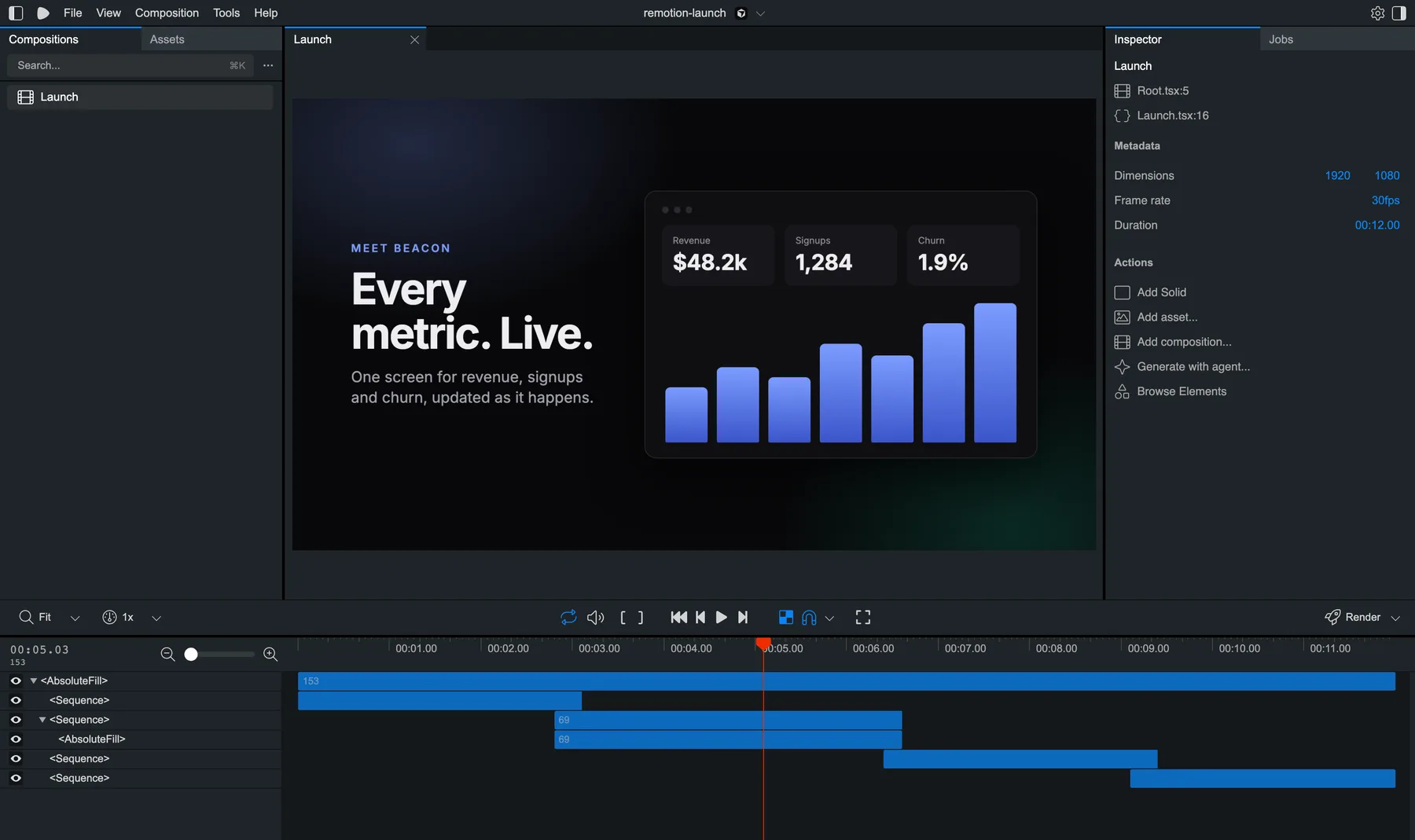
What it is: the editor that ships with Remotion, the React framework for making video in code. It gives you a live preview and a timeline of your Sequences, can render the video, and includes a Browse Elements panel for reusable components. Since version 4.0.526, released on September 17, 2026, its composition inspector has a Generate with agent action, which suggests a prompt using the composition's source location and launches your own coding agent.
Choose it if: your team already writes React and video is a feature of your product or part of an existing codebase. That is the job it does best.
Pricing (public and specific): free for individuals and for organisations or teams of up to 3 people. Above that, Remotion for Creators is $25 per seat per month, and Remotion for Automators is $0.01 per render with a $100 monthly minimum. A render is the successful generation of a video, audio, GIF, still image or PDF, and Studio previews do not count.
Pros
- The most mature ecosystem, documentation and community in this category
- Components, design system and charting libraries from your React app carry over directly
- Excellent serverless rendering when you need scale
- Each frame is a pure function of its frame number, so renders are reproducible
Cons
- You write React. There is no agent chat in Studio itself, only a hand-off to your own coding agent
- The licence bites at the low end: the $100 monthly minimum is the same whether you render 50 videos or 10,000
- The free tier is gated on headcount, not usage, so a fourth person changes the maths
- You own and maintain the rendering pipeline
Trade-off: it is a library with an editor attached, not an editor with a library underneath. If you want to describe a video and have it built, this is the long way round.
Why GenMotion is the better fit: Remotion Studio previews code you wrote, and its agent action hands the job to your own coding agent. GenMotion's agent builds the scenes in the app itself, so there is no React to write and no licence that changes when your team reaches four people. If your job is a launch video rather than a feature inside your product, that is the shorter path.
For more on this tool, see Remotion alternatives and is Remotion worth it for launch videos.
4. Motion Canvas: the explainer specialist
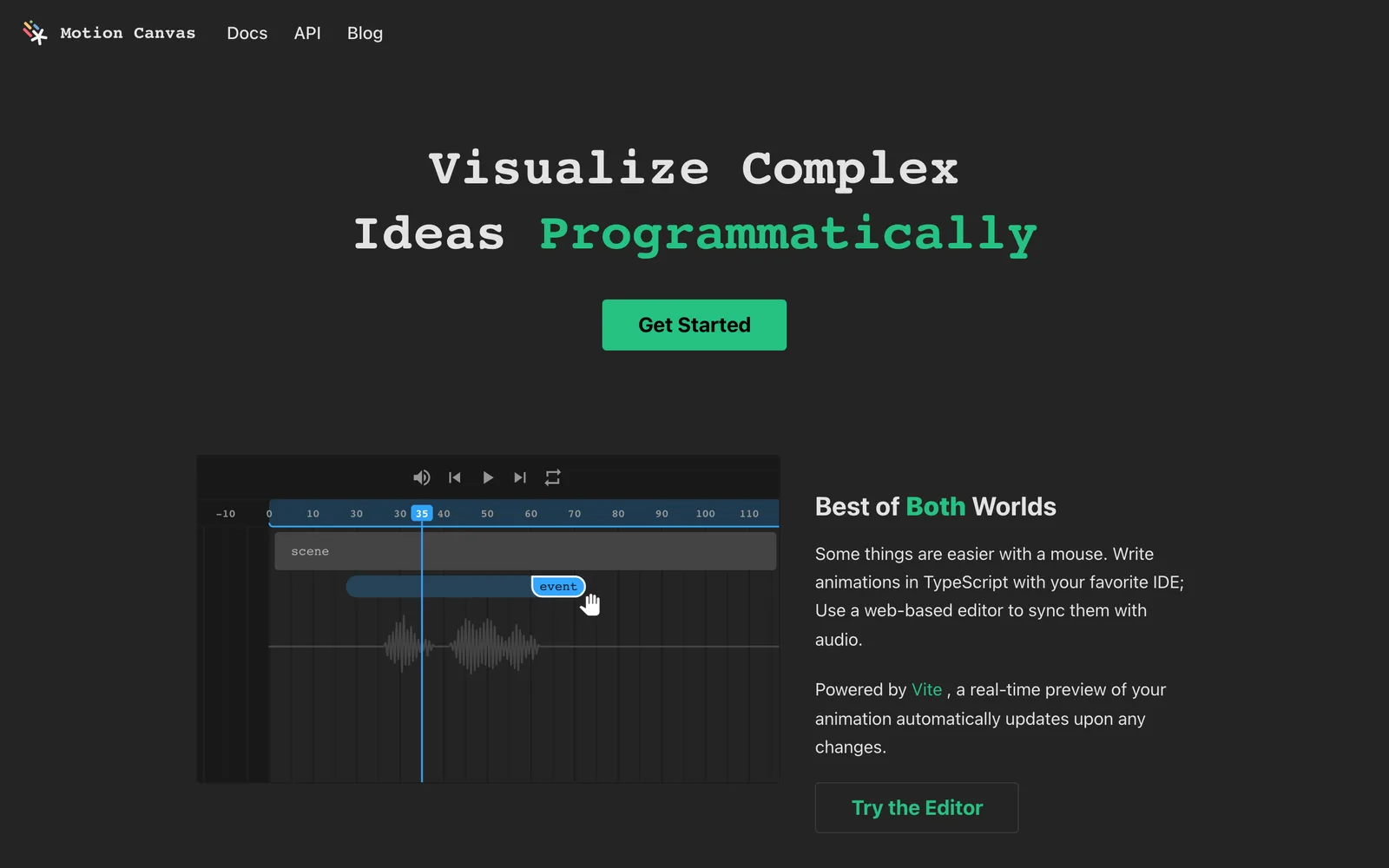
What it is: an MIT-licensed TypeScript library for informative vector animation, with a web editor that gives you real-time preview and a timeline for syncing animation to a voiceover track. You write animations as TypeScript generators. For explaining an algorithm, a data structure or a mathematical idea it is superb.
Choose it if: you are making technical explainers or conference talks, you want something free with no thresholds of any kind, and you are comfortable writing the animation yourself.
A thing to know before adopting it: the repository has around 19 thousand stars and was last pushed to in July 2026, but its latest published release, 3.17.2, is from December 2024. Revideo, which began as a fork of it, is also MIT licensed with around four thousand stars.
Pros
- Free and MIT, with no commercial thresholds
- The editor's timeline and audio sync are a genuine strength
- Excellent for technical explainers and talks
- Real-time preview
Cons
- No agent integration of its own that we could find: you write the TypeScript
- Generator-based imperative animation is unlike anything else on this list
- Aimed at explainers, not product marketing or templated video
- The latest published release is almost two years old
Trade-off: it is the best tool here for lining up animation you wrote in code against audio you recorded. It is not trying to be an agent-driven studio.
Why GenMotion is the better fit: Motion Canvas gives you a timeline for animation you write yourself. GenMotion writes the scenes from a description, generates the narration with timings on Pro, and has a timeline you can drag to reorder and trim, so a script change is a sentence rather than a re-measure.
5. Creatomate: templated video at scale
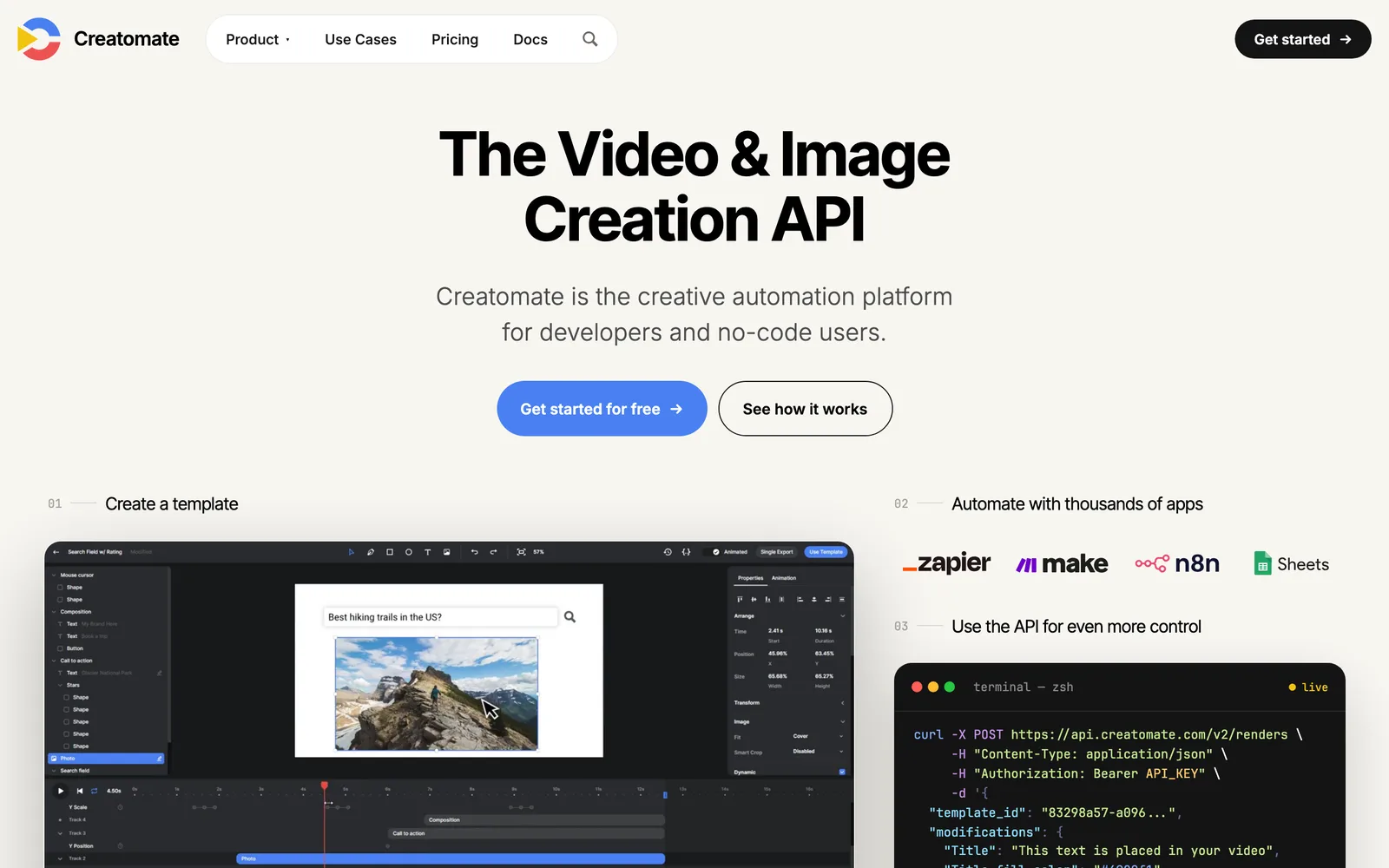
What it is: a cloud video-generation API with a visual template editor and integrations for no-code tools. You design a template once, then generate thousands of variants from a spreadsheet or an API call.
Pricing, from its pricing page: a free trial with 50 credits and no card. Essential is $45 a month billed annually ($540 a year) for 2,000 credits, which it describes as 200 or more videos or 2,000 images. Growth is $109 a month billed annually ($1,290 a year), with credit tiers from 10,000 to 40,000. Beyond is $274 a month billed annually ($3,290 a year), with 50,000 to 200,000 credits. One minute of 720p video at 25 fps costs about 14 credits, and generated files are hosted for up to 30 days.
Choose it if: you need many variants of one video, such as personalised outreach, localised ads or automated social posts, and you want non-engineers to edit the templates.
Pros
- No rendering infrastructure to run
- Non-engineers can edit templates in a visual editor
- Purpose-built for bulk generation from spreadsheets and APIs
- An embeddable preview SDK on Growth and above
Cons
- Template-shaped: you are filling slots, not authoring bespoke motion
- Credit-based pricing, so cost scales with minutes and resolution
- Generated files are deleted after 30 days, so you must move them to your own storage
Trade-off: it is excellent at a thousand versions of one video and the wrong tool for one version of a good one.
Why GenMotion is the better fit: a template editor is a ceiling for bespoke motion. GenMotion builds the animation itself, exports render on your machine and land as files on your disk rather than being hosted for 30 days, and Pro is a flat price instead of credits that scale with minutes and resolution.
How to choose
You want to go from an idea to a finished video as fast as possible, and you are on a Mac → GenMotion. It builds the scenes, generates the narration and the sound, and exports the file in one loop.
You are on Windows or Linux → Midrender (it runs in a browser) or the HyperFrames web editor through the CLI. GenMotion is macOS only for now, and the HyperFrames app lists Windows as coming soon.
You make product feature videos from a codebase and want to bring your own agent to a browser editor → Midrender.
Your team writes React and video lives inside your product → Remotion Studio.
You are animating algorithms or maths → Motion Canvas.
You need thousands of variants of one template → Creatomate.
The summary
The HyperFrames Studio app changed this comparison. Our earlier HyperFrames comparison framed HyperFrames as an engine with no editing loop of its own, and that framing is now out of date: HyperFrames has a real editor, an agent in a desktop app, and a large community. If a comparison page still tells you otherwise, check its date.
So which should you pick? If you are on a Mac and what you want is a finished video, GenMotion is the best of these. It treats the whole job as one loop: an agent that builds the scenes, a preview you can trust because it is the same runtime as the export, a timeline you can drag and trim, narration, sound effects and images generated in the same chat, a Marketplace that lets you bring your own models for voice, image and video generation, and an export that lands on your disk with no meter running. A CLI and an MCP server mean the same project can be checked and rendered from a terminal or CI as well.
The others on this list are good at narrower jobs. Midrender for motion graphics in a browser. Remotion Studio for React teams. Motion Canvas for explainers. Creatomate for templates at volume. If one of those is your job, use it. If your job is making videos, download GenMotion for macOS on Apple silicon. It is free to start, and it runs on the Claude Code or Codex subscription you already have.
Where to go next
- HyperFrames alternatives: the earlier comparison of code-first tools, written before HyperFrames shipped its desktop app.
- Remotion alternatives: the same comparison from the Remotion side, including what its licence costs.
- How to create a product launch video with HyperFrames: a full tutorial, with every command run and every screenshot real.
- HyperFrames answers: sourced fixes for the errors people hit most.
- Timeline editor and AI voiceover: the two GenMotion features this post leans on most.
- Pricing: what Free, Pro and Max include.
Ready to make your own?
Download