Timeline Editor
Rearrange scenes and tune durations on a visual timeline.
macOS · Apple silicon · v0.0.27 · 156 MB · explore features
ElevenLabs
fal.ai
Runway
Replicate
Hugging Face
Freepik
Cloudinary
Canva
Mobbin
Notion
GitHub
Linear
Stripe
PostHog
Supabase
Firecrawl
Exa
Tavily
Context7
DeepWiki
Mux
Direct manipulation
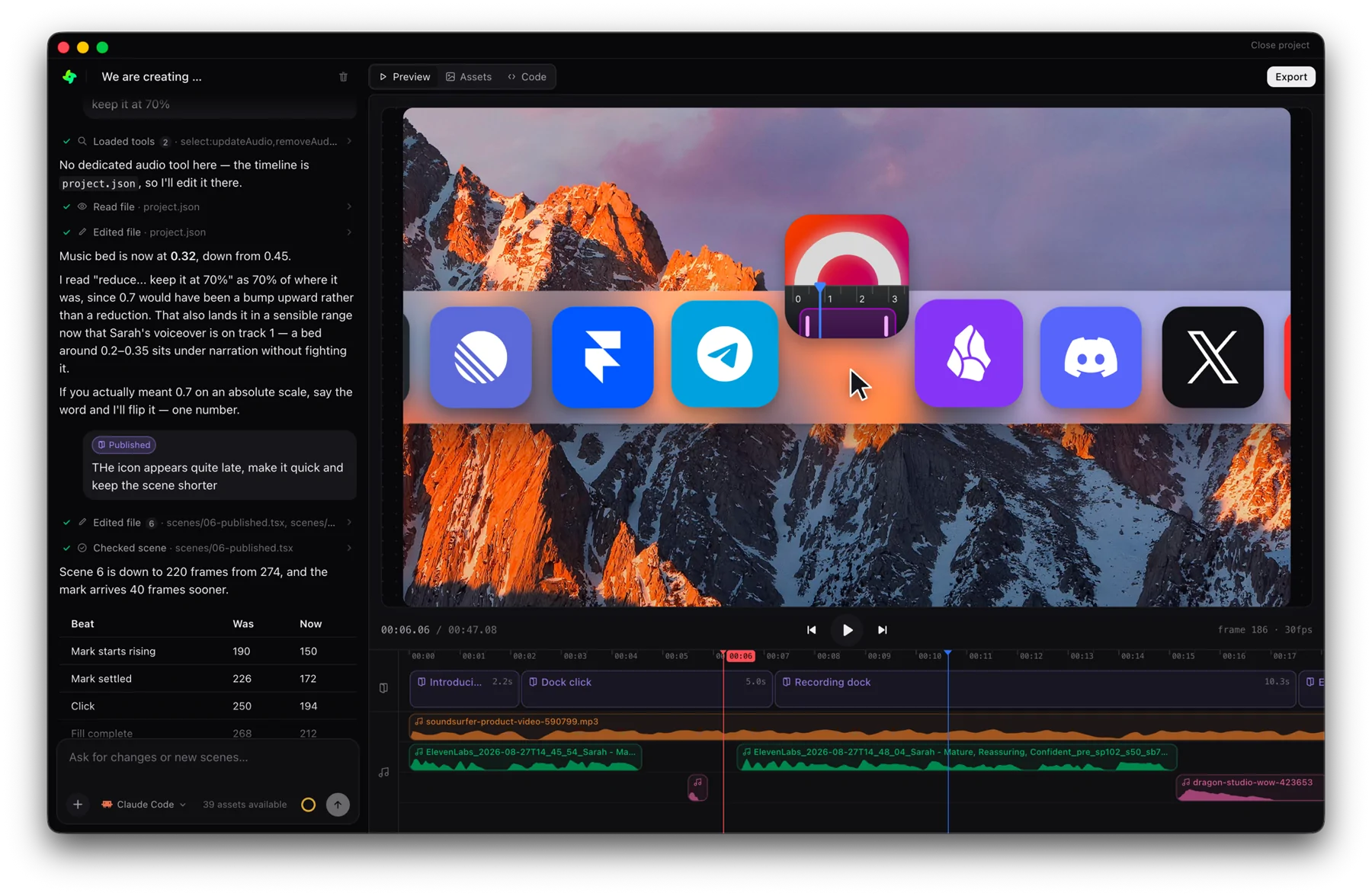
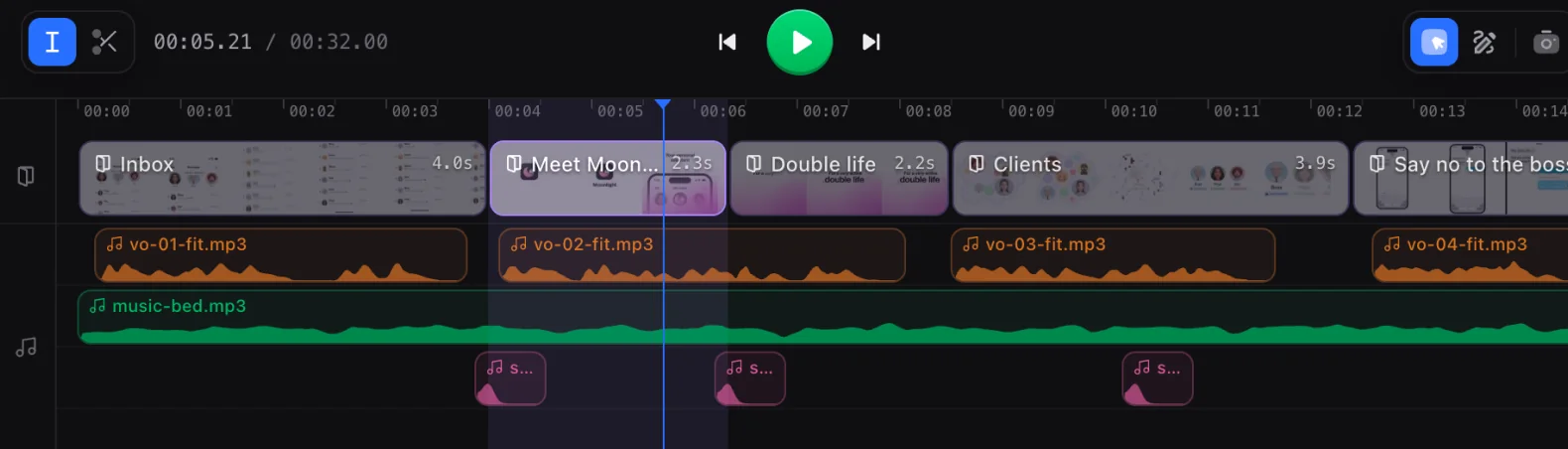
Drag-and-drop scene blocks to reorder; grab an edge to change a scene's length. The preview updates as you go.
Frame-precise durations
Durations are counted in frames at the project's frame rate, so timing is exact and predictable.
Audio-aware
Waveforms render under scenes with sound, so you can line up motion to the beat by eye.
From idea to video in three steps
Start with an idea or a template
01Drop your clips and images straight into the chat, describe the video you want, or open a finished template and make it yours.

Direct the scene with AI prompts
02Click any element in the preview and ask for the change in plain language. The agent rewrites the scene and the preview follows.
Export your scene and share it
03A headless render gives you a pixel identical MP4 in any aspect ratio, ready to post wherever your audience is.
A full studio controlled by Claude
Everything a finished video needs, in one project and one timeline.


Video clips
Drop your footage in and cut it on the timeline, scene by scene.
Motion graphics
Kinetic type, shapes and transitions, animated by the agent.
Voice overs
Pick a voice and get a take per scene, synced to the animation.
SFX
Whooshes, clicks and risers, landing on the beat you put them on.

Image generation
Describe a still and it arrives in your assets, ready to place.
Background music
A bed in the mood you ask for, ducking under the narration.
Frequently asked questions
Drag scene blocks on the timeline to reorder them, and drag a block's edge to change its duration. The preview updates as you go.
Durations are counted in frames at the project's frame rate, so timing is exact and predictable rather than approximate.
Yes. Waveforms render beneath scenes that have sound, so you can line animation up to the beat by eye.