
Quickstart
Create your first GenMotion video in five minutes. Paste one setup prompt into Claude Code, Codex or Cursor, or run npx genmotion init and render an MP4.
There are two ways in. Let your agent do the setup, or run three commands yourself. Both end with the same project folder.
Let your agent set it up#
Open Claude Code, Codex or Cursor in an empty folder and paste this prompt. The agent installs the project, reads the rules, asks what the video is for and builds it.
Set up a GenMotion video project in this folder and help me make a video.

1. Run `npx genmotion@latest init my-video --yes` (add `--size portrait` for a vertical video), then `cd my-video && npm install`.
2. Read `AGENTS.md` and the `genmotion` and `genmotion-skills` skills in `.claude/skills/`.
3. Ask me what the video is for, how long it should be and where it will be shown, unless I already told you.
4. Run `npx genmotion skills search "<my request>"`, pick the one skill that owns this kind of video, follow it, and record the choice in `VIDEO.md`.
5. Build the scenes. Before telling me it is done, run `npx genmotion check` and `npx genmotion still --at 50%` and look at the frames.
6. Start a preview I can open with `npx genmotion dev --background`. Render the MP4 with `npx genmotion render` when I ask.

Docs: https://genmotion.dev/docsOr set it up yourself#
- 1
Create a project#
Terminalnpx genmotion@latest init my-video cd my-video npm installAdd
--size portraitfor a 9:16 video, or--template <id>to start from a finished video.npx genmotion templateslists them. - 2
Start the preview#
Terminalnpm run devThe studio opens at
http://localhost:4200. Play, scrub, step through frames and jump between scenes. It reloads every time a file is saved. - 3
Describe your video to your agent#
Open your agent in the
my-videofolder and say what you want: "A 20-second launch video for our notes app, 16:9, dark and confident." The project already tells the agent how to work. See Make your first video for how to brief it well. - 4
Check and render#
Terminalnpm run check # every scene compiles and renders headlessly npm run render # writes exports/my-video.mp4The first render downloads a headless Chromium and ffmpeg, once per machine.
Prefer an app?#
GenMotion Studio does all of this in one window on a Mac: chat with your agent on the left, the preview in the middle, a timeline below and an Export button.
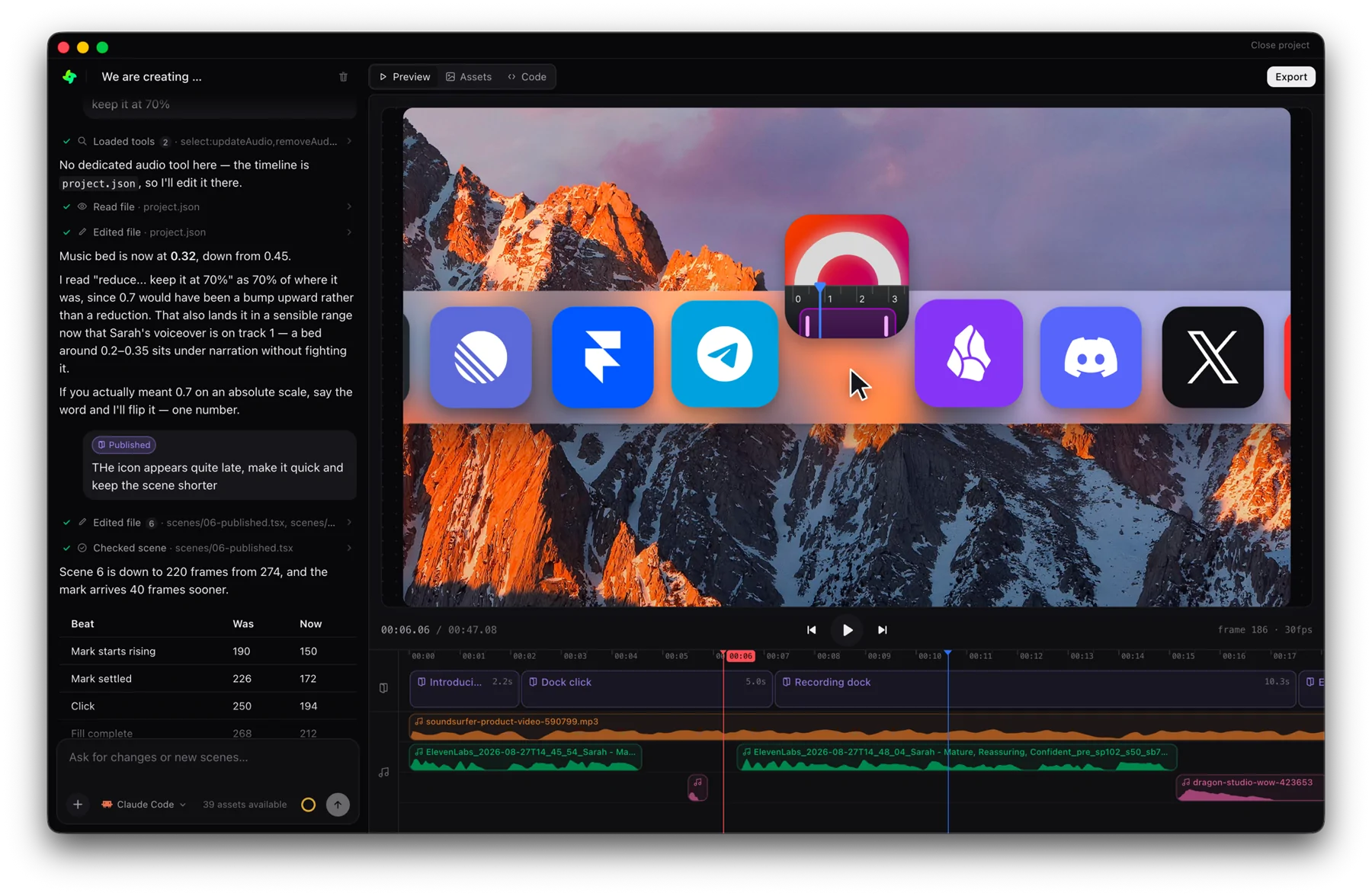 GenMotion Studio