
Connect your coding agent
Use GenMotion with Claude Code, Codex, Cursor or any MCP client. Projects ship with AGENTS.md, CLAUDE.md, skills and a ready genmotion MCP server.
GenMotion works with the agent you already use. A project folder carries its own instructions, so there is usually nothing to configure: open the agent in the folder and describe the video.
What a project already includes#
genmotion init writes these files, so every common agent knows the rules from its first message:
| File | Read by | What it holds |
|---|---|---|
AGENTS.md | Codex, Cursor and most agents | Scene rules, the authoring guide, every command |
CLAUDE.md | Claude Code | Imports AGENTS.md, so there is one copy |
.mcp.json | Claude Code | The genmotion MCP server |
.cursor/mcp.json | Cursor | The same server, for Cursor |
.claude/skills/, .agents/skills/ | Claude Code, Codex | The make-a-video workflow and the skill router |
Already have a project from somewhere else? npx genmotion skills add writes the same files into it, and npx genmotion skills update refreshes them after an upgrade.
Claude Code#
Open Claude Code in the project folder:
cd my-video
claude
It reads CLAUDE.md, loads the skills and starts the MCP server from .mcp.json (approve it when asked).
Use it outside a project#
Install the plugin and every Claude Code session can make videos, even with no project yet. It bundles the skill pack, a make-video skill and the MCP server:
claude plugin marketplace add haxzie/genmotion
claude plugin install genmotion@genmotionCodex#
Open Codex in the project folder. It reads AGENTS.md and the skills in .agents/skills/. To give it the MCP tools too:
codex mcp add genmotion -- npx -y genmotion mcpWithout MCP, Codex runs the same steps as shell commands (npx genmotion check --json and so on), which AGENTS.md lists.
Cursor#
Open the project folder in Cursor. .cursor/mcp.json registers the server; enable it under Settings → MCP the first time.
Any other MCP client#
The server speaks MCP over stdio. Add it to any client's config:
{
  "mcpServers": {
    "genmotion": { "command": "npx", "args": ["-y", "genmotion", "mcp"] }
  }
}
Pass --dir <path> in args if the client doesn't start in the project folder. The MCP tools page lists every tool it provides.
In GenMotion Studio#
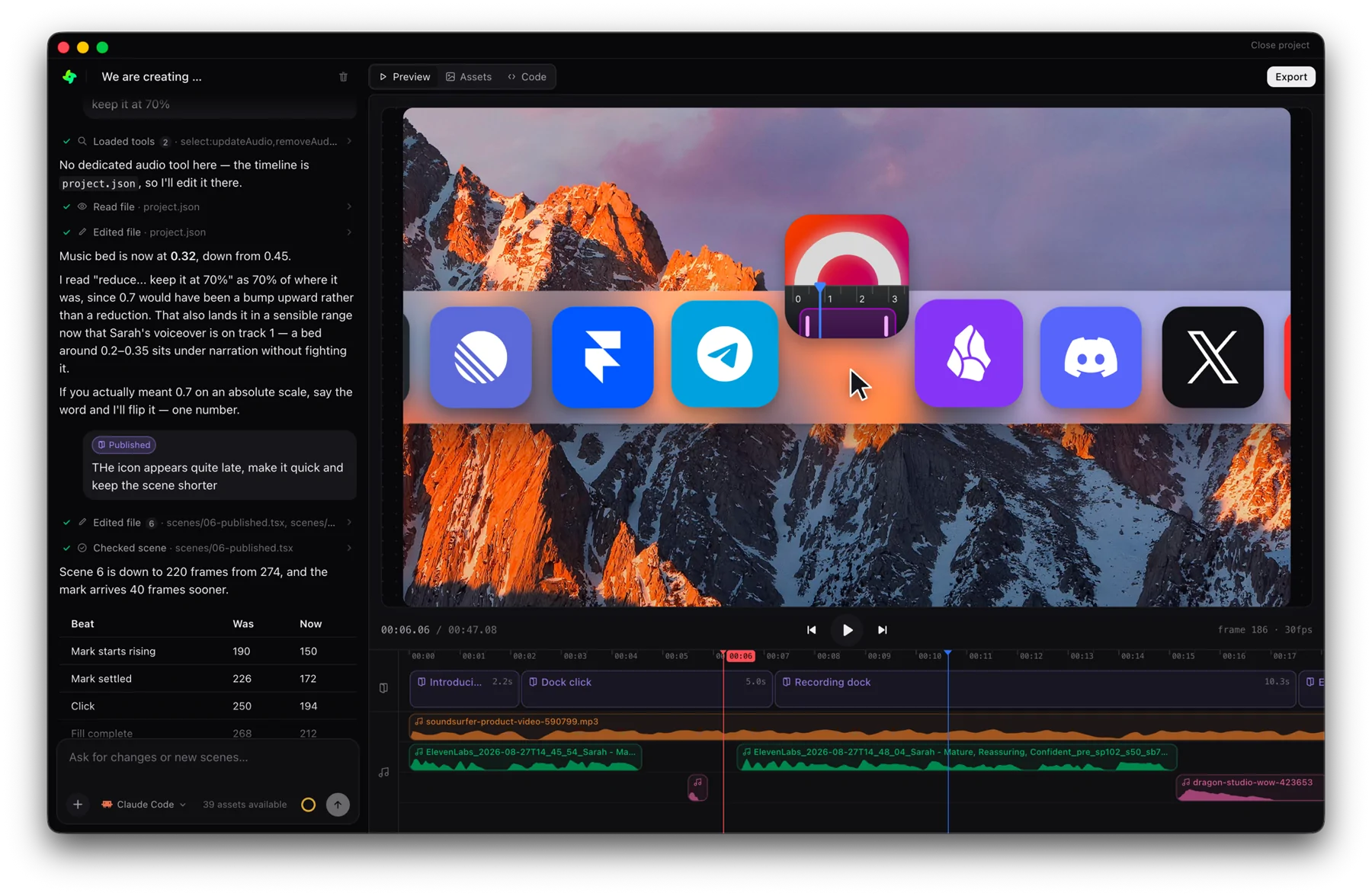
The Studio runs Claude Code or Codex for you, with its own tools wired in, so none of the above is needed there. Open a folder with genmotion . and talk to the agent in the chat panel.
 GenMotion Studio